


Smart Family & Kids Locator
3.619.00 Reviews
App Specs
- Version
- 1.13.6
- Updated On
- License
- Free
- Downloads
- 10,000+
- Developer
- LSA LTD
- Categories
- Parenting
- Platform
- Android
Screenshots
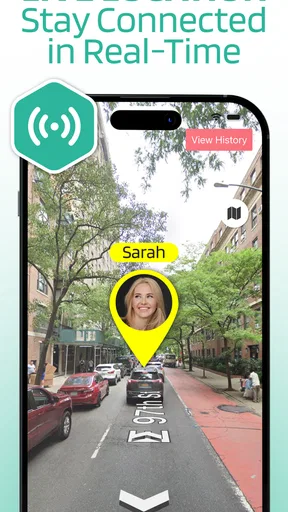
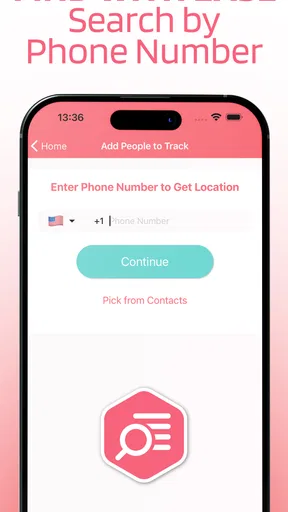
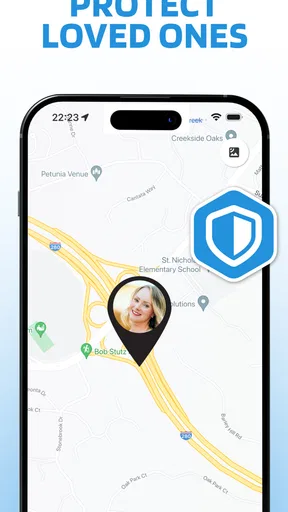
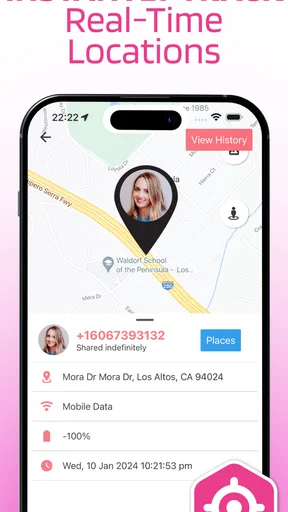
 Analysis by AppCompare
I approached Smart Family & Kids Locator as a practical parenting tool rather than another app to leave running unnoticed. Its purpose is straightforward: help families share location and use a phone number as part of the locating process. That can be useful when a child is walking home, a relative is travelling, or everyone is trying to meet in a busy place. The important question is not whether location sharing sounds helpful, but whether the app fits the way your family actually communicates and whether you are comfortable managing a location-focused service.
After spending time with it, my impression is mixed but generally positive for a specific audience. The app is easy to understand, free to start, and aimed at ordinary family coordination instead of technical users. At the same time, location tools are only as useful as the phone, connection, permissions, and habits behind them. I would recommend approaching it as a convenience layer for family contact, not as a replacement for direct communication or a guarantee that a location will always be perfectly current.
How it feels in everyday family use
I found that the most useful way to judge a family locator is to start with the moments when it might actually reduce uncertainty, not with the map itself. For a pickup or a crowded outing, a shared position can help everyone coordinate, but it works best when the family has already agreed on how and when to use it. That practical routine leads to the question of what users can check and manage before relying on it.
A simple idea that works best with a clear routine
The strongest part of this parenting app is its narrow focus. Rather than asking parents to learn a large collection of unrelated family features, it centers the experience on locating phones and sharing whereabouts with family members. That makes the basic purpose easy to explain to another person: install it, set up the family connection, and use it when knowing someone’s approximate position would make coordination easier.
I can imagine using it on a school day when a child is walking from an activity to a pickup point. Instead of sending several messages asking where they are, a parent can check the shared location and then call if the timing looks unusual. Another useful situation is a family outing in a crowded park or shopping area. Location sharing can reduce the stress of finding one another, especially when people have agreed beforehand about when it will be active.
That last point matters. I would not treat continuous checking as a substitute for a family agreement. Before relying on the app, I would explain who can see the location, when sharing is expected, and what to do if the phone battery is low or the person cannot be reached. This makes the tool less intrusive and gives children or other family members a clear understanding of its purpose.
What the developer is offering
Smart Family & Kids Locator is a free parenting app from LSA LTD. It is suitable for Everyone, which makes the presentation approachable for a broad household audience. The app has passed the early adoption stage with over ten thousand installs, while its average score sits at 3.6 from around one hundred ratings and nineteen written reviews. I read that combination as a sign that people find the idea useful, but that the experience may not be equally smooth for every family or device.
Worth Reading Before You Choose

Flipboard Shows What News Apps Must Do Beyond the Feed

Switching to Android Auto Means Rethinking Your Driving Routine

Google Calendar Makes a Crowded Week Easier to Manage

Ludo King Makes the Most of the Minutes Between Plans

Baby Panda World Brings Quick Play to Modern Phones, but Its Game Library Feels Busy

ESPN’s Live Game View Makes Following Close Games Easier
The current release is version 1.13.6, and the app was released on June 8, 2021. It requires Android 7.0 or later, so it is not aimed exclusively at recent phones. That wider compatibility is helpful if a parent and child use different generations of Android hardware, although an older phone can still affect how comfortable location sharing feels in practice.
There are in-app purchases priced from $7.99 to $49.99 per item. I would therefore install the free version first and learn exactly which parts of the experience your household needs before paying for anything. A family should not assume that every useful function is included at no cost simply because the initial download is free.
Speed expectations: what “live” location really means
The app’s perceived speed depends on more than its interface. A location request has to travel through the phone, the operating system, and the available network before the other person sees an updated position. In a strong connection, the experience may feel responsive enough for ordinary coordination. In a weak signal area, underground station, crowded venue, or building with poor reception, an update can feel delayed even when the app itself is behaving normally.
For that reason, I would use the locator to answer questions such as “Are they still on the way?” or “Which part of the meeting area are they near?” I would be cautious about treating a displayed position as an exact, second-by-second account of movement. A map marker is helpful context, but it should not create false confidence about safety or arrival time.
One practical habit improves the experience: ask family members to open the app and check their phone before leaving, rather than waiting until a problem occurs. Confirming that the phone is online and that sharing is set up can prevent the most frustrating kind of delay—the delay discovered only when somebody is already late.
Heavy-use moments and household resource demands
Location services naturally place more demand on a phone than a static parenting checklist. The exact effect varies with the handset, signal quality, operating-system settings, and how frequently the app is used. I would pay particular attention to battery consumption on an older child’s phone, especially during a long day away from home. A phone that reaches low power may stop being useful for locating and calling at the same time.
My advice is to avoid turning the app into a constant background habit unless your family genuinely needs that arrangement. For school pickups, outings, and travel days, planned periods of sharing are more sensible than checking every few minutes. This approach is easier on the battery and also keeps the app from becoming an unnecessary source of family tension.
Heavy use can also mean repeated map checks by several people. If everyone in the household is refreshing the same situation instead of sending one clear message, the app may become part of the confusion rather than the solution. I prefer a simple workflow: one person checks, one person contacts the family member if needed, and everyone knows when to stop monitoring.
Reliability depends on recovery, not just the first setup
A family locator earns trust when it remains understandable after something goes wrong. Phones are restarted, networks disappear, batteries drain, and people accidentally close apps. I would test the recovery routine before using this app for an important journey: close it, reconnect to the network, check the phone’s location settings, and see whether the family connection becomes usable again without guesswork.
If an update appears old, I would not immediately assume that the person is still at the earlier position. First I would call or message them, then check whether their phone has connectivity and enough battery. This is an important limitation of any phone-based location arrangement, including this one: the app cannot provide useful current information from a device that is offline, unavailable, or unable to report its position.
That is why I see the app as a backup to communication rather than an emergency system. In a serious situation, contacting the person directly and using appropriate local help matters more than repeatedly refreshing a map. The locator can add context, but it should not be the only plan a family has.
Device constraints worth considering before installation
The Android requirement of 7.0 or newer keeps the app accessible to many existing phones, but compatibility is only the first check. Families using an older handset should also consider storage, battery health, network performance, and the phone’s ability to handle location work comfortably. A child’s spare phone may technically install the app yet still provide a less dependable experience if it struggles with other everyday tasks.
Different family members may also have different phone habits. One person may keep the device in battery-saving mode, another may frequently disable location services, and a third may have unreliable mobile data. Those choices can make the family experience appear inconsistent. Before blaming the app, I would standardize the basics across the phones involved and agree on a simple troubleshooting order.
- Check that the phone is powered on and connected.
- Confirm that the family member has opened the app recently enough for the situation.
- Look at battery-saving settings if updates seem delayed.
- Call or message the person before repeatedly refreshing the location.
This checklist is more valuable than expecting a location app to solve every technical problem automatically. It also helps parents distinguish a temporary phone issue from a genuine concern.
Where it compares well with usual alternatives
The usual alternative is direct messaging or calling. Those methods are better when you need an immediate answer, a detailed explanation, or a two-way conversation. Smart Family & Kids Locator is more convenient when the question is simply where a family member is in relation to a pickup point or meeting place. It reduces the need for repeated “where are you?” messages, but it does not replace the human conversation that follows when plans change.
Another alternative is a broader family-safety platform with calendars, check-ins, alerts, and other household tools. Those services may be a better fit for parents who want one large family dashboard. This app’s more focused approach can be preferable if your main need is location sharing and you do not want a crowded collection of features. The trade-off is that a narrower tool may require you to keep using your normal messaging and planning apps alongside it.
Phone-number-based locating also sounds convenient, but I would not interpret that phrase as permission to track anyone casually. The feature should be used with the knowledge and agreement of the people involved. For children, parents still need to explain the arrangement in age-appropriate language. Trust is part of the system; without it, even a technically useful locator can damage family communication.
Three practical ways to get more from it
First, create a “departure check” rather than waiting for a missed pickup. Before a child leaves school or an activity, ask them to confirm that the phone is charged, connected, and ready for the agreed sharing period. This small routine catches problems while there is still time to solve them.
Second, use a meeting-point workflow. In a busy public place, choose one location in advance and use the app to see whether everyone is moving toward it. Avoid wandering around while checking the map continuously. The app is more useful when it supports a plan than when it becomes the plan.
Third, establish a stale-location rule. If the displayed position has not changed when you expect movement, do not keep assuming the marker is current. Call the person, ask them to open the app, and check the phone basics. This prevents one of the most common mistakes with location tools: confusing the last reported position with the person’s present position.
Who should use it, and who should skip it
I think this app suits parents who want a straightforward way to coordinate school runs, family outings, and travel without relying entirely on repeated messages. It can also help households with older relatives who are comfortable carrying a phone and agree to share their location. The free entry point makes it reasonable to test with a small, low-pressure routine before deciding whether the paid options are worthwhile.
I would skip it if your family does not agree about location sharing, if everyone already communicates comfortably by phone, or if you need guaranteed emergency monitoring. It is also not the best choice for someone looking for a full household organizer with extensive scheduling and safety automation. In those cases, direct communication or a broader service may be a better match.
My performance verdict
My overall view is that Smart Family & Kids Locator is a useful, focused parenting app when expectations are realistic. Its perceived speed should be adequate for ordinary family coordination under good phone and network conditions, but location freshness can vary. Its resource demands deserve attention on older or heavily used devices, and recovery from an offline phone should be part of the family’s routine rather than an afterthought.
The 3.6 average suggests a service with genuine appeal but room for a smoother experience across different households. I would not install it and immediately depend on it for every journey. I would test it during a normal outing, compare its usefulness with simple calls and messages, and decide whether the family gains enough convenience to keep it in the routine.
In the end, I recommend it to families who want a dedicated location-sharing tool and are willing to combine it with clear communication. The best use of this app is planned reassurance, not constant surveillance. Used that way, it can make pickups and meetups easier without pretending that a phone map is more reliable than the people, network, and battery supporting it.
Pros
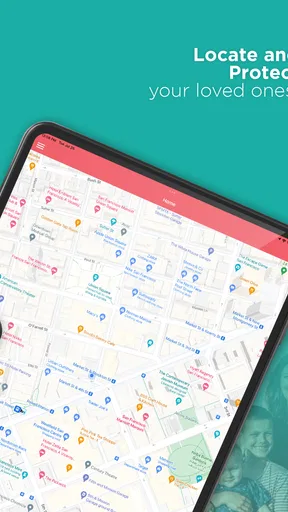
- Real-time location sharing helps parents check where children are.
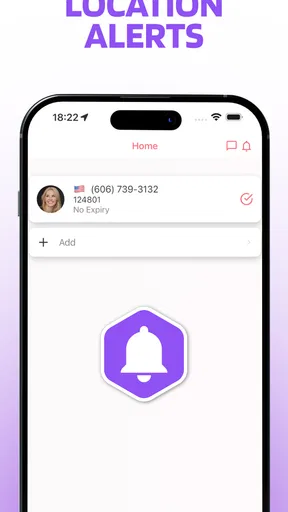
- Geofencing alerts can notify you when a child enters or leaves a place.
- SOS features provide a quick way to request help in an emergency.
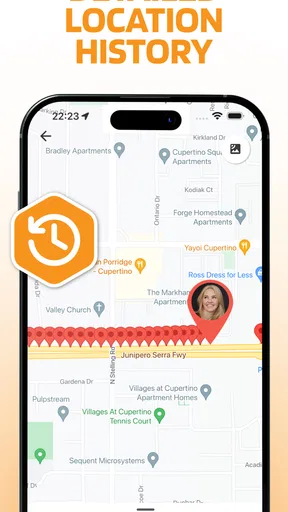
- Location history can help identify travel patterns and daily routines.
- Supports family coordination with shared contacts and safety updates.
Cons
- GPS accuracy may decrease indoors or in areas with weak signal.
- Continuous tracking can noticeably reduce the child’s battery life.
- Some advanced safety tools may require a paid subscription.
- The app needs background location and other sensitive permissions.
- Children may feel uncomfortable with constant monitoring or tracking.
FAQs for Smart Family & Kids Locator
What is Smart Family & Kids Locator used for?
Smart Family & Kids Locator is designed to help families stay connected and monitor the location of approved members through a smartphone. After creating or joining a private family group, users can view shared locations, check recent movements, and communicate when needed. It is mainly intended for parents, guardians, and relatives who want an additional way to coordinate daily routines and improve peace of mind.
How accurate is the location shown by Smart Family & Kids Locator?
Location accuracy depends on the phone’s GPS signal, Wi-Fi availability, mobile network coverage, battery level, and the permissions granted to the app. Outdoors, the position is generally more precise, while buildings or weak signals can cause delays or an approximate location. The app should therefore be treated as a helpful tracking and communication tool, not as a guaranteed real-time or emergency location service.
Does the app require permission from the person being located?
Yes. Location-sharing apps should only be used with the knowledge and consent of the people involved, especially when monitoring teenagers or other family members. Smart Family & Kids Locator requires users to create or join a family group and enable relevant permissions before their location can be shared. Hidden or unauthorized tracking is inappropriate and may violate privacy laws or the app’s terms of service.
Does Smart Family & Kids Locator drain the phone battery or use mobile data?
Because the app may use GPS, background location services, mobile networks, and notifications, it can increase battery and data consumption compared with an app that remains inactive. The impact varies according to update frequency, signal quality, device settings, and how often the app is used. To reduce consumption, users should keep location updates reasonable and review background activity and battery settings.
Is Smart Family & Kids Locator a substitute for emergency services?
No. Smart Family & Kids Locator should not replace emergency services, professional supervision, or direct communication during a dangerous situation. Location updates may be delayed, unavailable, or inaccurate if the phone is switched off, has no signal, loses battery, or has restricted permissions. In an emergency, contact the appropriate local emergency number and provide the person’s last known information when possible.


